
INVESTIGATION GUIDE
Investigate activity.
Keep the evidence.
Use a case to preserve what you reviewed and explain how you reached a finding.
Cases and captures
A case groups a vessel investigation and its saved evidence captures. In the staged workspace, cases are scoped to the signed-in user’s persisted company membership. Public vessel observations may be shared; private case content is company-scoped.
A capture preserves the available assessment at that point: source attribution, observation and assessment timestamps, received-observation gap, bounded nearby-vessel context, limitations, engine information and analyst notes. It is not a complete copy of the provider’s historical data.
Understand an AIS gap
A gap means TITUS has not received an observation for a period. Possible causes include vessel transmission behavior, reception coverage or provider delivery. The gap alone does not identify which cause applies.
- Check the target’s last observation time and source.
- Review the available nearby-vessel context, bearing in mind that their reception coverage may differ.
- Record missing receiver or provider telemetry as an unresolved question.
- Seek independent corroboration before reaching a consequential conclusion.
The current explanation uses bounded heuristics. “Limited confidence” is a qualitative limitation, not a calibrated probability of wrongdoing.
Replay what was saved
Choose a saved capture to revisit its frozen contents. A later observation or changed gap should not silently replace an earlier capture. Comparing captures helps explain how the available evidence changed.
A stored hash chain can expose changed capture contents when verified against an appropriate reference. It does not certify provider accuracy, trusted time or legal admissibility, and does not independently prevent an administrator from rewriting the entire store.
Link findings to evidence
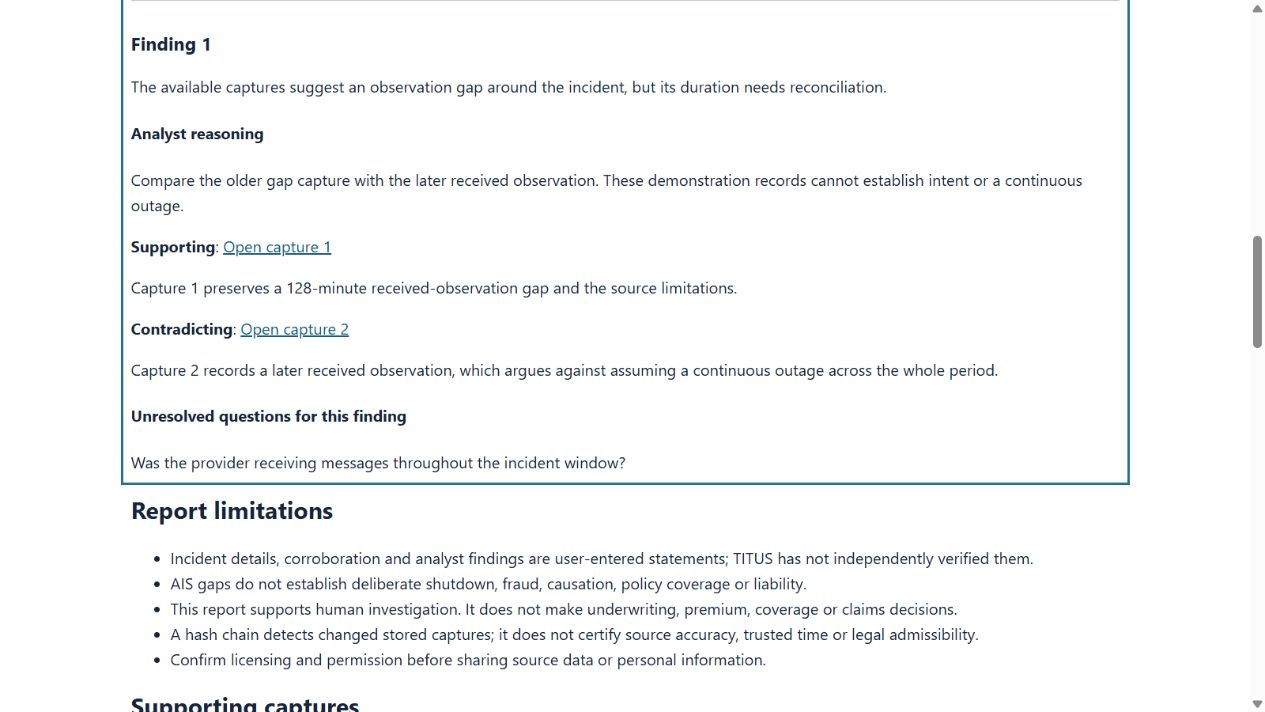
Within the staged insurance review, give each structured finding a statement, analyst reasoning and any unresolved questions. Link relevant captures from the same case and identify their relationship:
- Supporting
- Evidence you consider consistent with the finding.
- Contradicting
- Evidence that challenges or narrows it.
- Context
- Evidence that helps another reviewer understand the circumstances.
Explain why each link matters. A link records your assessment; it does not automatically verify the finding. Missing-support notices indicate findings that need further evidence or explanation.
When a save needs attention
If another analyst saves first, the workspace can reject a stale draft to avoid attaching its evidence links to the wrong capture. Review the updated case before saving again. If evidence verification fails, treat the case as requiring investigation; do not rely on an export as verified.