
MARINE INSURANCE WORKFLOW
Insurance Evidence Review
Bring the incident, vessel observations, analyst reasoning and unanswered questions into one reviewable case file.
What it helps you do
Review a reported incident
Arrange available vessel observations around a user-supplied incident time and identify gaps that need further investigation.
Explain a finding
Make the supporting and contradicting evidence visible alongside the analyst’s reasoning.
Preserve review context
Keep the saved observations and the version of the review that used them.
Hand over a clear record
Share a readable HTML report and structured JSON evidence record, subject to source-data permissions.
This is an evidence-review workflow, not a certified insurance audit or an automated underwriting, fraud, liability, coverage or claim-payment decision.
From vessel activity to a review
Create the vessel case
Enter a meaningful case title and the vessel MMSI. Capture the available observations and check their source and timestamps.
Record the review context
Choose the review purpose, such as claims or underwriting. Enter the case reference, incident or review event time explicitly in UTC, location and summary. These are analyst-supplied statements.
Describe corroboration
Record relevant sources or document references and what they may establish. This field currently stores text; it does not upload documents, fetch them or verify their contents.
Write findings and link captures
Distinguish observed facts from interpretation. Link captures as supporting, contradicting or context, with a reason for each link. Record unanswered questions and next actions.
Save the review in a capture
Enable inclusion in the next capture and save. Review the saved version, not only an unsaved form. Viewer accounts can read and export; creating a review requires the appropriate editing permission.
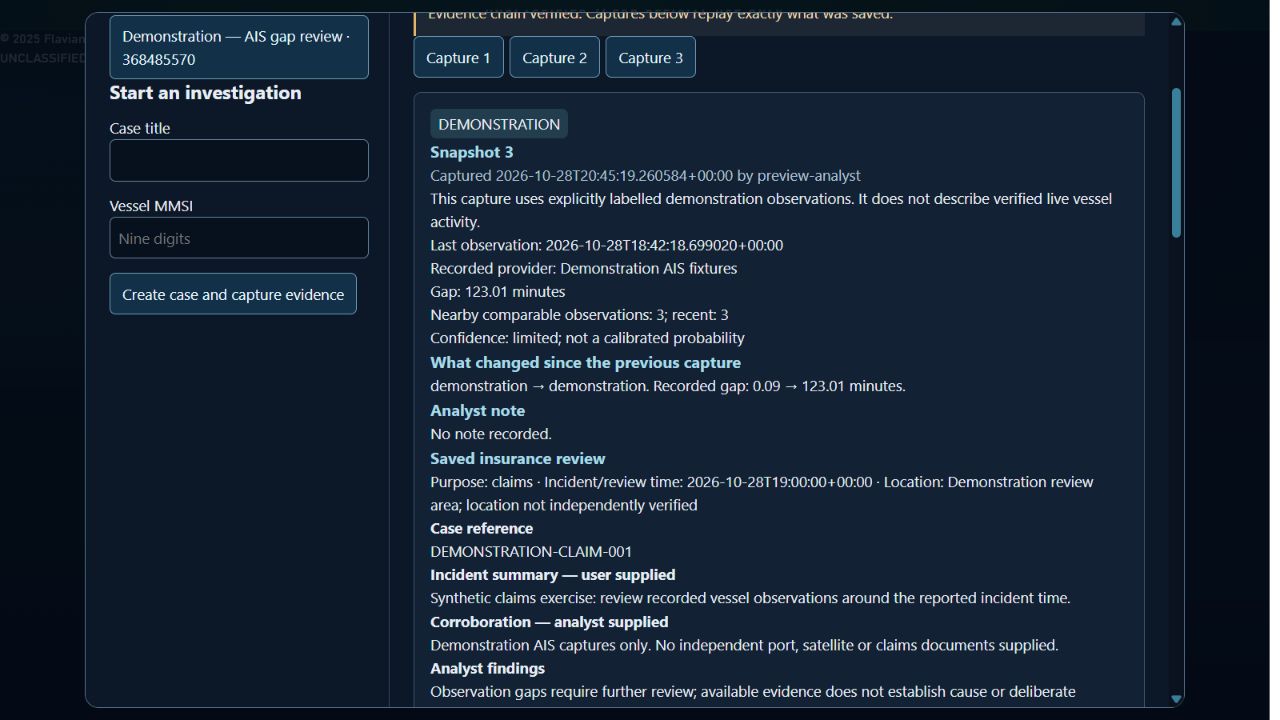
Read the evidence timeline
The report arranges observations as before, at or after the entered incident time. It uses observation timestamps, not the time the analyst saved the capture. Repeated observations are deduplicated; missing before-and-after coverage is shown.
The timeline contains only observations preserved in this case. It is not a complete vessel track or an independent reconstruction. Provider timestamps may be unverified, and capture time and observation time have different meanings.
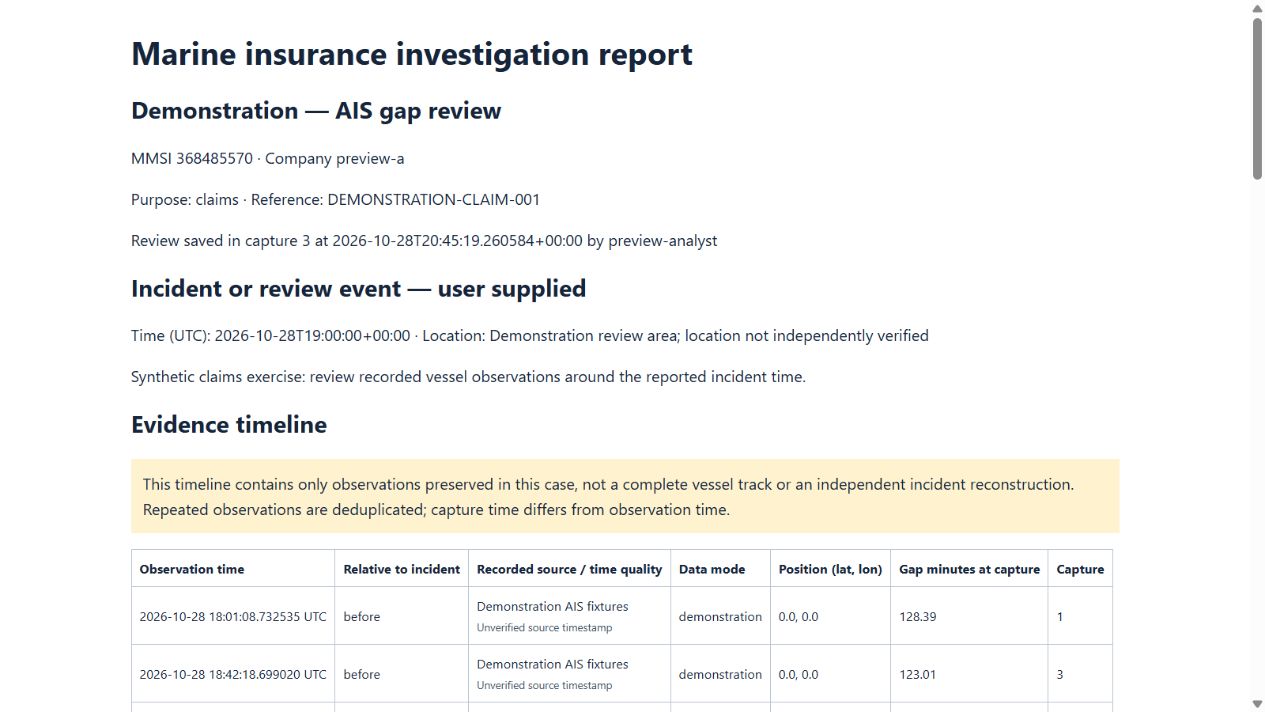
Export and hand over
Export insurance report uses the most recent saved insurance review and the captures up to that review’s capture. Later evidence does not silently rewrite the review; save a new review to include it.
Give the recipient the question being investigated, the report’s limitations and any source-data sharing restrictions. Ask them to examine the evidence and open questions, not just the conclusion.
What remains a human judgment
TITUS does not establish intent from an AIS gap, independently authenticate analyst-entered documents or determine insurance coverage. Independent corroboration, professional judgment and appropriate authority are still required.