FLAVIAN SYSTEMS / TITUS
Understand the activity. Explain the evidence.
Practical guides to vessel and aircraft review, marine insurance evidence and the limits of the available data.
Choose your starting point
Find a vessel or aircraft
Learn how to search an identity, inspect reported movement and check the observation time before relying on a result.
Getting started →Build a vessel investigation
Explore frozen evidence captures, gap explanations and analyst notes in the administrator pilot.
Investigation guide →Review marine insurance evidence
Record incident details, link findings to supporting or contradicting captures and keep unanswered questions visible.
Insurance Evidence Review →Share a useful report
Understand the pilot's HTML and JSON exports and what another reviewer can verify.
Reports and exports →Know which environment you are using
The current dashboard includes vessel and aircraft review. The Insurance Review button opens a restricted administrator pilot for vessel cases. General company access and online billing are still in preparation.
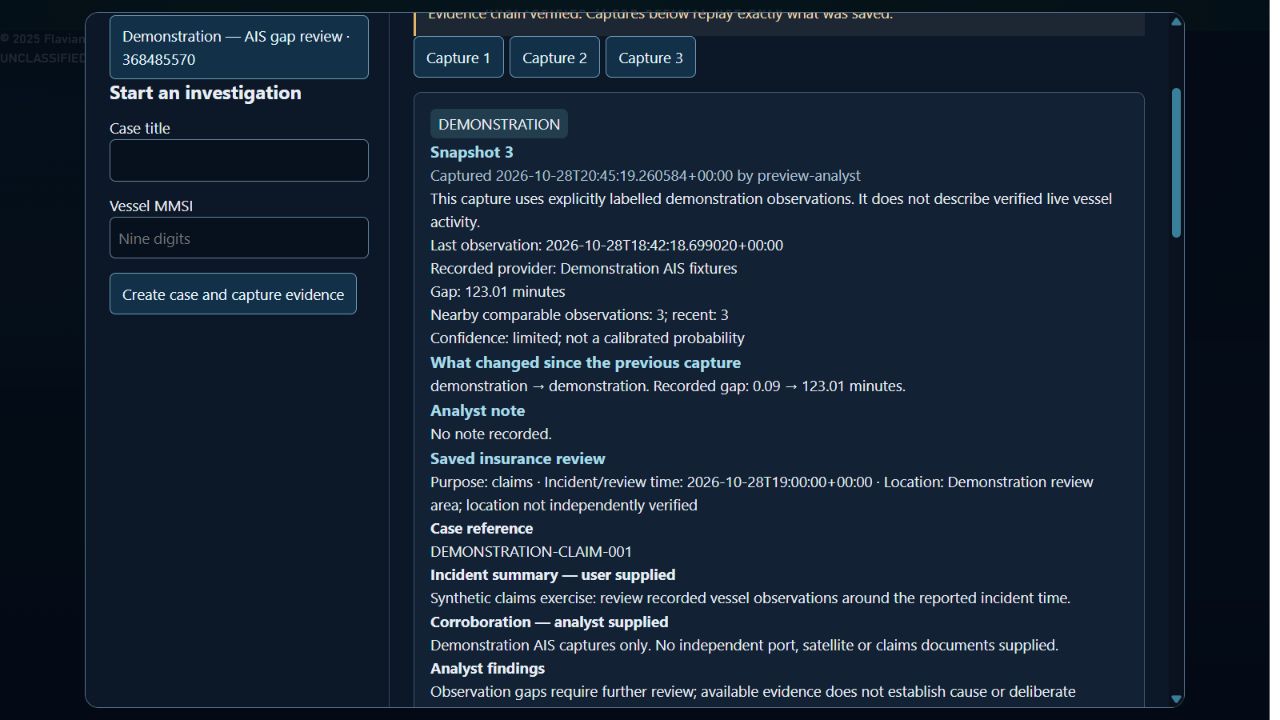
The screenshots and example insurance report use labelled demonstration data. They explain the workflow; they are not customer cases or evidence of live coverage.
View feature availability →Keep the evidence in context
A missing AIS observation is a question to investigate. Source coverage, stale records and equipment issues can affect the picture. Review the observations, your interpretation and the unresolved questions separately.
Sources, freshness and limitations →